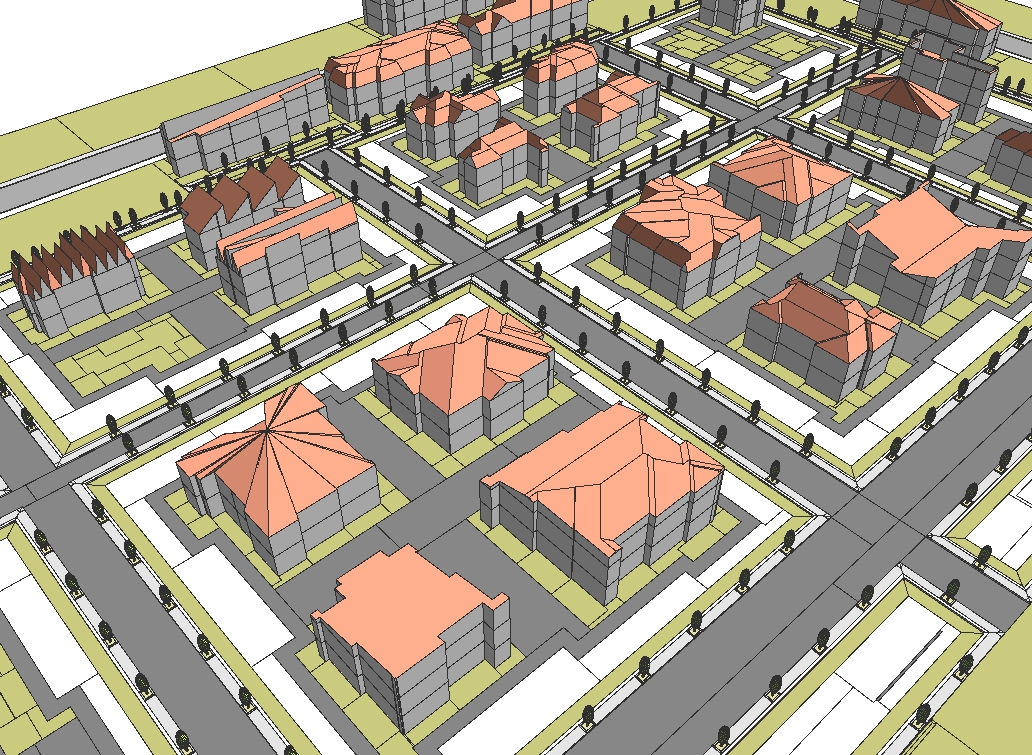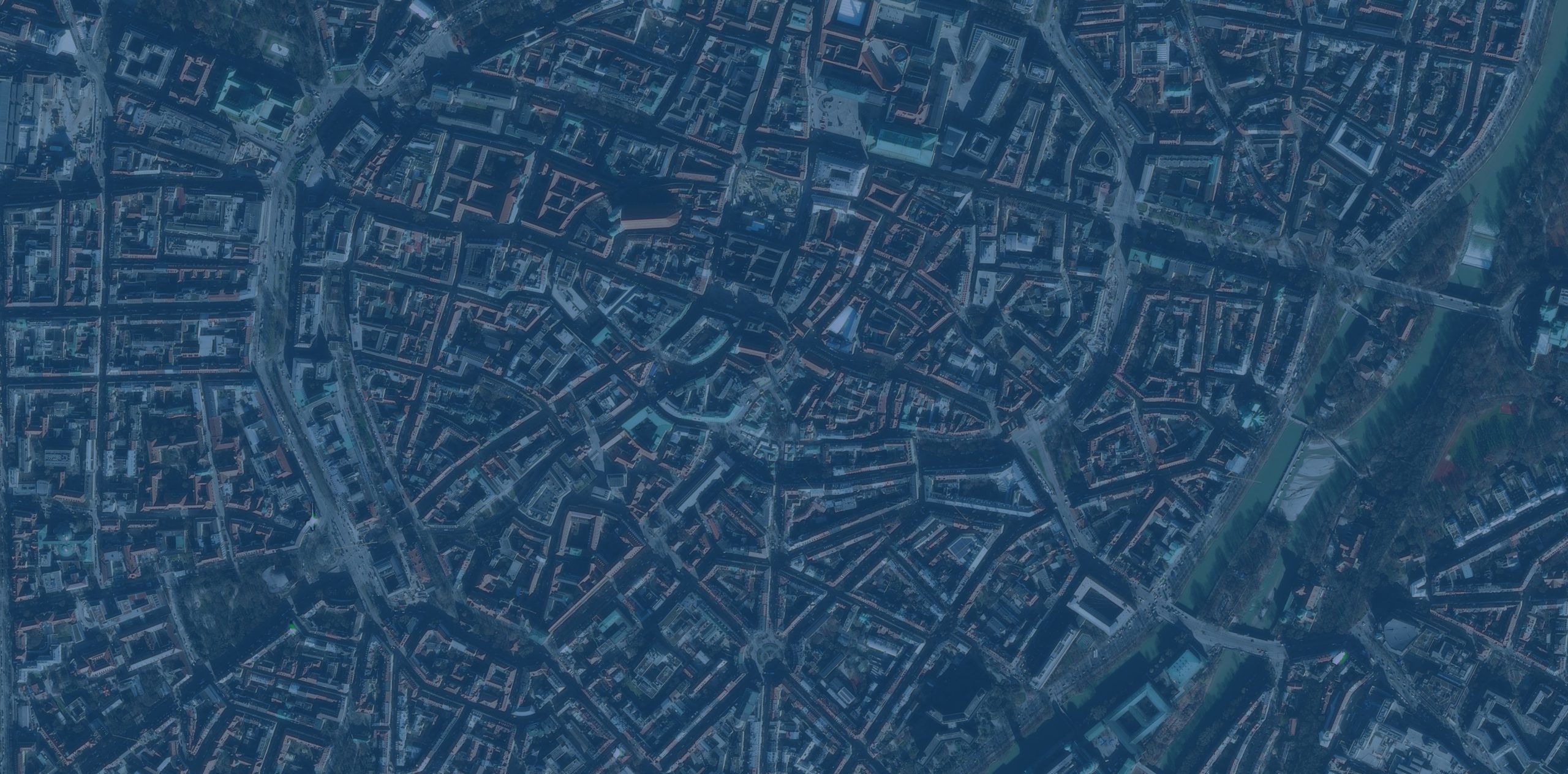


This release of ArcGIS Maps SDK for Unity brings visualization of massive point cloud datasets with fast, efficient display and data-driven styling, a new convenient identify API for getting feature attributes from user interaction, and greater control over the appearance of building scene layers. These enhancements unlock new workflows and help developers create richer, more interactive 3D experiences with real-world geospatial data.此次发布的ArcGIS Maps SDK for Unity带来了对大规模点云数据集的可视化功能,具有快速高效的显示效果和数据驱动的样式设置,还新增了一个便捷的识别API,用于通过用户交互获取要素属性,并能更好地控制建筑场景图层的外观。这些增强功能开启了新的工作流程,帮助开发者利用真实世界的地理空间数据创建更丰富、更具交互性的3D体验。
Visualize massive point clouds 可视化大规模点云
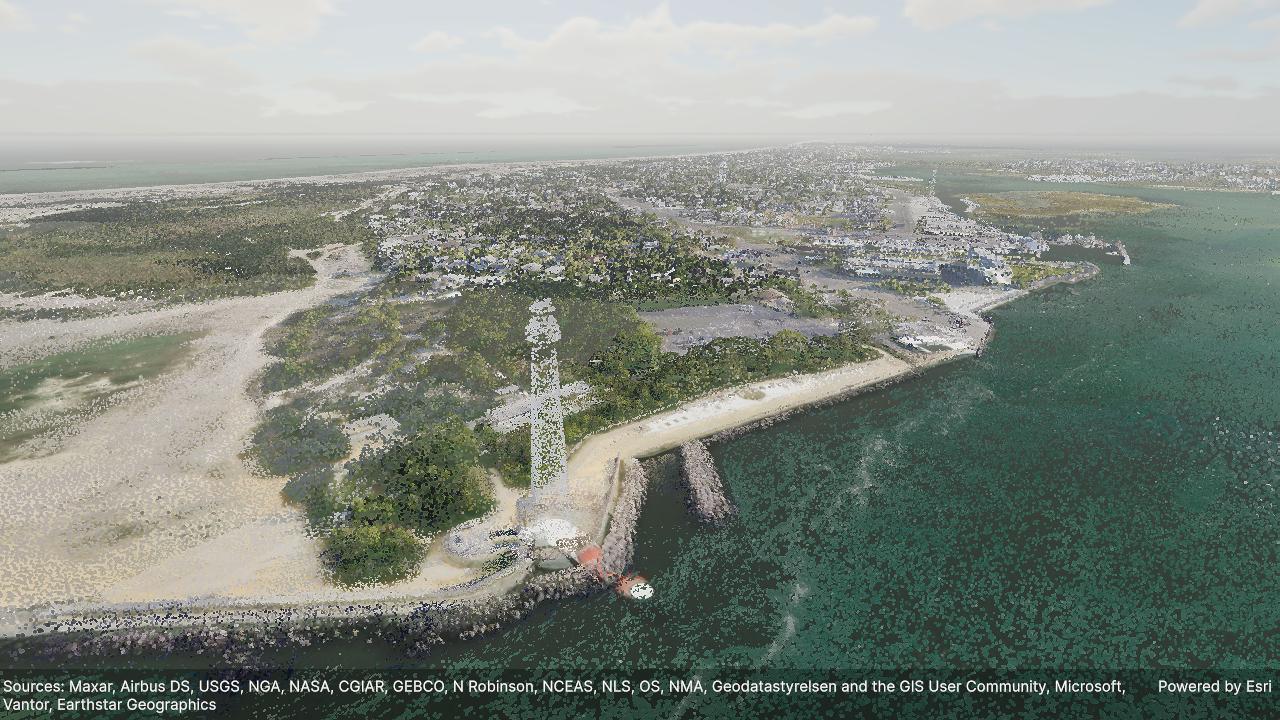
The new Point Cloud Layer in our Unity Maps SDK provides high-performance visualization of massive 3D point cloud datasets in your Unity scenes. Point cloud data typically comes from Lidar (light detection and ranging) surveys, an optical remote-sensing technique that uses laser light to densely sample the surface of natural and urban environments, interior spaces, and even individual objects, and produces highly accurate x,y,z measurements. Lidar survey devices come in various forms, often mounted on aircraft, helicopters, or vehicles for large-scale surveys, and now present on many modern smart phones.我们Unity地图SDK中新的点云图层能够在Unity场景中高性能地可视化大规模3D点云数据集。点云数据通常来自激光雷达(光探测与测距)测量,这是一种光学遥感技术,它使用激光对自然和城市环境的表面、室内空间乃至单个物体进行密集采样,并生成高精度的x、y、z坐标测量结果。激光雷达测量设备有多种形式,通常安装在飞机、直升机或车辆上用于大规模测量,如今也出现在许多现代智能手机上。
Because point cloud datasets contain millions of points, to visualize them effectively we create optimized Hierarchical Level of Detail (HLOD) based point cloud scene layers using the Create Point Cloud Scene Layer Content geoprocessing tool in ArcGIS Pro. This tool takes input point cloud data in LAS format, a common, open, binary format designed for sharing Lidar point cloud data (and the compressed, optimized LAS format). During the creation of point cloud scene layer content using ArcGIS Pro, you choose the data attributes that will be imported. These attributes include information about each point, such as the intensity, color, and classification code, which can be used to style point cloud scene layer data.由于点云数据集包含数百万个点,为了有效地可视化它们,我们使用ArcGIS Pro中的“创建点云场景图层内容”地理处理工具,创建基于优化的分层细节层次(HLOD)的点云场景图层。该工具接受LAS格式的输入点云数据,LAS格式是一种通用的、开放的二进制格式,专为共享激光雷达点云数据(以及压缩的、优化的LAS格式)而设计。在使用ArcGIS Pro创建点云场景图层内容的过程中,您可以选择要导入的数据属性。这些属性包括每个点的相关信息,如强度、颜色和分类代码,可用于对点云场景图层数据进行样式设置。
As with all layers in our Unity Maps SDK, point cloud layers can be streamed from services when your apps are connected to a network, or from on-device scene layer packages when your apps are offline. In this release, point cloud scene layer styling is determined by the publisher of the data – you cannot define or override the styling using the API. We plan to introduce APIs to style point cloud scene layers in the future.与我们Unity地图SDK中的所有图层一样,点云图层既可以在应用连接网络时从服务流式传输,也可以在应用离线时从设备上的场景图层包中获取。在本版本中,点云场景图层的样式由数据发布者决定——您无法通过API定义或覆盖该样式。我们计划在未来引入用于设置点云场景图层样式的API。
Identify attribute information for features in 3D object scene layers识别3D对象场景图层中要素的属性信息
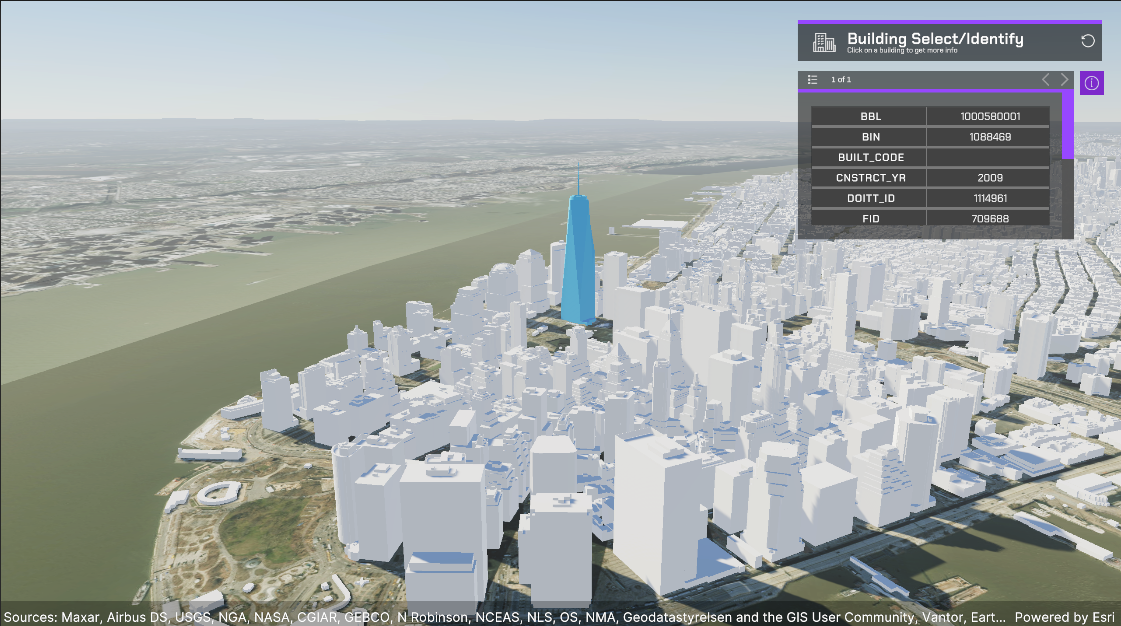
Two new identify methods on the ArcGISView class provide convenient APIs to get attribute information for features in 3D object scene layers (also known as feature metadata in Unity). The ArcGISView.IdentifyLayerAsync operation makes an asynchronous identify call on a specified layer, while the ArcGISView.IdentifyLayersAsync operation makes an asynchronous identify call on all 3D object scene layers in the map. These methods make it easier to implement end-user workflows that involve capturing the user interaction with the scene to get the feature attributes at a location. The input parameters for both methods include a start or origin point and an end or target point, usually the user camera location and the point they tap on the scene. These new APIs streamline development, avoiding the need for more complex raycast operations, and help you build better end-user experiences for data exploration, and richer more interactive apps.ArcGISView类上的两种新识别方法提供了便捷的API,用于获取3D对象场景图层中要素的属性信息(在Unity中也称为要素元数据)。ArcGISView.IdentifyLayerAsync操作对指定图层进行异步识别调用,而ArcGISView.IdentifyLayersAsync操作则对地图中所有3D对象场景图层进行异步识别调用。这些方法使实现最终用户工作流变得更加容易,该工作流涉及捕获用户与场景的交互,以获取某个位置的要素属性。这两种方法的输入参数都包括起点(或原点)和终点(或目标点),通常是用户相机位置和他们在场景上点击的点。这些新API简化了开发过程,无需进行更复杂的射线投射操作,并有助于为数据探索构建更好的最终用户体验,以及更丰富、更具交互性的应用程序。
Identify operations often form the foundation of larger workflows where the user needs to navigate to identified items, view attributes, and/or visually highlight an identified feature. Developers can implement a highlight effect by changing the shader for the feature returned from an identify operation. Other common developer workflows include comparing feature attributes, labeling features, or querying other business systems for related information to be displayed in the UI. An upcoming sample in the Unity Maps SDK Samples GitHub repo will demonstrate how to call the identify operation and display the attributes of the returned feature. An upcoming sample in the GitHub repo will demonstrate how to call the identify operation and display the attributes of a returned feature. The sample will also demonstrate an approach to highlight a returned feature for easy visual indication. We plan to introduce an API that supports highlighting returned features in the future.识别操作通常是更大工作流的基础,在这些工作流中,用户需要导航到已识别的项目、查看属性和/或直观地突出显示已识别的要素。开发人员可以通过为识别操作返回的要素更改着色器来实现高亮效果。其他常见的开发人员工作流包括比较要素属性、标记要素,或查询其他业务系统以获取要在用户界面中显示的相关信息。Unity Maps SDK 示例 GitHub 仓库中即将推出的一个示例将演示如何调用识别操作并显示返回要素的属性。该 GitHub 仓库中即将推出的一个示例将演示如何调用识别操作并显示返回要素的属性。该示例还将展示一种突出显示返回要素的方法,以便于直观指示。我们计划在未来引入一个支持高亮显示返回要素的 API。
Apply custom materials to building scene layers为建筑场景图层应用自定义材质
Custom materials can now be applied to building scene layers, completing support for custom materials on all layer types within the SDK that are rendered with surfaces. The addition of the MaterialReference property on the Building Scene Layer class enables you to change the rendering, using materials to highlight specific aspects of the data or customize layer appearance. Building scene layers support filtering to toggle the visibility of different levels, construction phases, disciplines, and categories within a building, enabling the visualization of the custom materials based on various criteria. One common use case for applying custom materials to layers is to support visibility analysis in which areas visible to an observer are assigned one color and areas not visible to the observer are assigned a contrasting color. The addition of custom materials for building scene layers means this type of visibility analysis can be applied to all layers in the scene, for example where you have used mesh modifications and spatial filters to combine integrated mesh scene layers, 3D object scene layers, and building scene layers within a single scene.现在,自定义材质可应用于建筑场景图层,从而完成了SDK中所有带表面渲染的图层类型对自定义材质的支持。建筑场景图层类上新增的MaterialReference属性使您能够更改渲染效果,借助材质突出显示数据的特定方面或自定义图层外观。建筑场景图层支持过滤功能,可切换建筑物内不同楼层、施工阶段、专业和类别的可见性,从而能基于各种标准可视化自定义材质。为图层应用自定义材质的一个常见用例是支持可见性分析,在这种分析中,观察者可见的区域被赋予一种颜色,而观察者不可见的区域则被赋予对比色。建筑场景图层新增自定义材质意味着,此类可见性分析可应用于场景中的所有图层,例如,您已使用网格修改和空间过滤在单个场景中组合了集成网格场景图层、3D对象场景图层和建筑场景图层的情况。
Download and get started 下载并开始使用
Get the latest version from the Unity Asset Store or to learn more about ArcGIS Maps SDK for Unity visit the Esri Developer website. For more details about the enhancements, deprecations, resolved issues, and known issues in this release, refer to the Release Notes. If you’re new to developing with our SDK, the Get started page provides helpful resources to kick-start your journey.从Unity资源商店获取最新版本,或访问Esri开发者网站了解更多关于ArcGIS Maps SDK for Unity的信息。有关此版本中的增强功能、弃用内容、已解决问题和已知问题的更多详细信息,请参阅发行说明。如果您是我们SDK开发的新手,入门页面提供了有用的资源来帮助您开启旅程。