

As urban development accelerates and infrastructure projects grow in complexity, outdated workflows and disconnected tools often slow progress, inflate costs, and limit decision-critical insights. But what if you had the tools to easily turn raw data into lifelike 3D cityscapes?随着城市发展加速和基础设施项目日益复杂,过时的工作流程和相互脱节的工具往往会拖慢进度、增加成本,并限制关键决策所需的洞察力。但要是你拥有能轻松将原始数据转化为逼真的3D城市景观的工具,情况会怎样呢?
Esri’s latest release of the 3D Buildings solution streamlines the creation of 3D buildings and smoothly integrates with existing planning and design systems. This means that you can quickly extract building footprints from lidar and visualize interiors down to individual floors. The solution also includes enhancements for sharing 3D content across ArcGIS to help members of your organization collaborate effortlessly. Here’s what’s new:Esri最新发布的3D建筑物解决方案简化了3D建筑物的创建过程,并能与现有的规划和设计系统无缝集成。这意味着您可以快速从激光雷达中提取建筑物轮廓,并可视化到各个楼层的内部情况。该解决方案还增强了在ArcGIS中共享3D内容的功能,以帮助组织成员轻松协作。以下是新增功能:
Simplified task workflows 简化的任务工作流
The 3D Buildings ArcGIS Pro project now offers a more intuitive experience that simplifies the process and saves time. We’ve grouped tasks into more logical workflows, making it easier for you to turn your raw data into finished 3D models. This new structure ensures consistency, improves usability, and helps your team stay focused on outcomes rather than processes.ArcGIS Pro的3D建筑物项目如今提供了更直观的体验,简化了流程并节省了时间。我们将任务整合到更符合逻辑的工作流中,让您能更轻松地将原始数据转化为成品3D模型。这种新结构确保了一致性,提升了可用性,并帮助您的团队更专注于成果而非流程。

The first task group is the most foundational. It guides you through creating detailed elevation surface layers, which are required for creating 3D buildings in a later workflow. Subsequent tasks build on these surfaces, progressively adding complexity and realism to your project.第一个任务组是最基础的。它将指导你创建详细的高程表面图层,这是后续工作流中创建3D建筑物所必需的。后续任务将在这些表面的基础上进行,逐步为你的项目增加复杂性和真实感。
LOD2 building extraction LOD2建筑提取
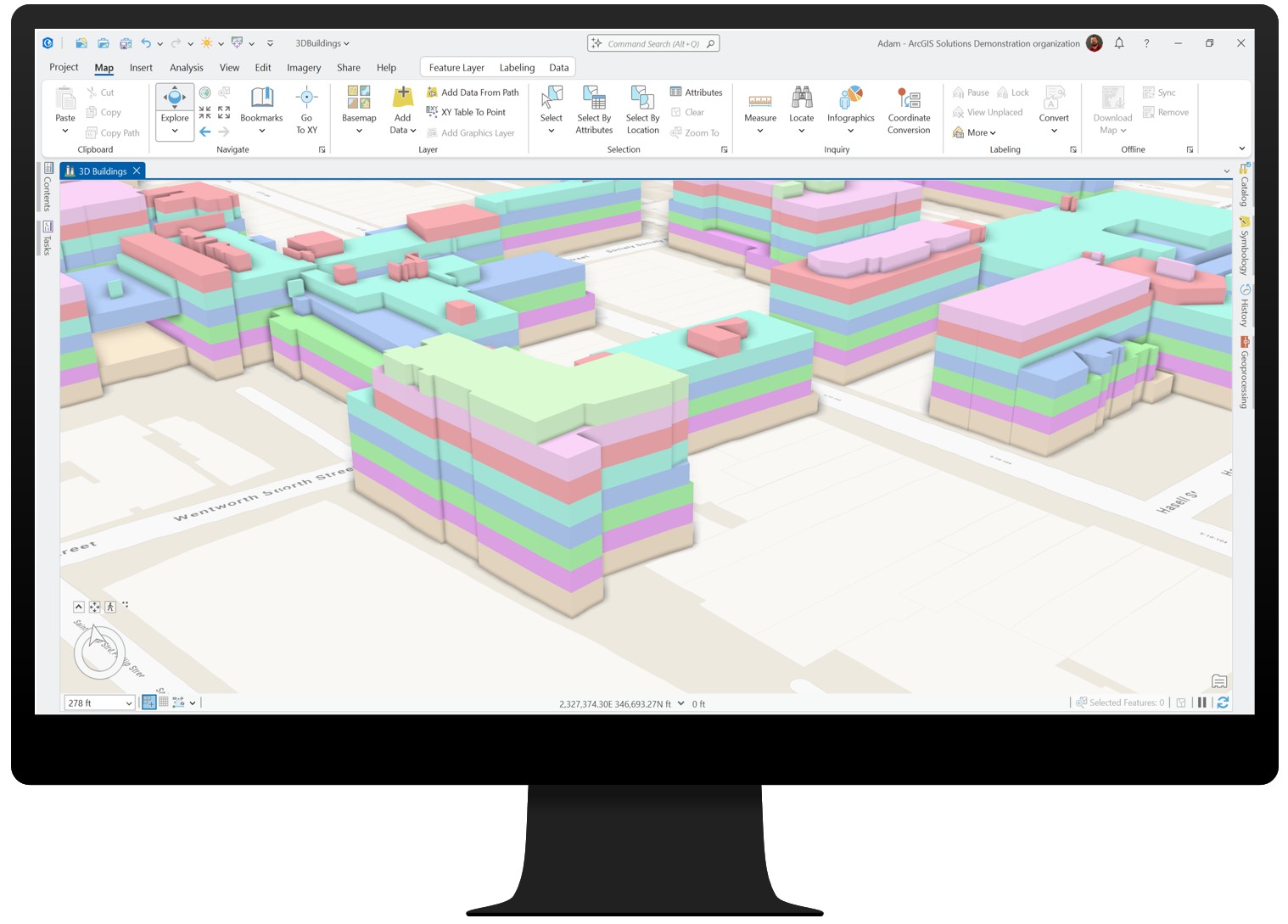
If you’re already using the solution, you’ll recognize steps such as Create and Publish 3D Buildings, but you’ll also notice a major enhancement new with this release: the Extract LOD2 Buildings tool. This new tool condenses what was once a multistep process into a single workflow. You can now generate LOD2 models complete with realistic roof forms directly from lidar and building footprints.如果您已经在使用该解决方案,您会熟悉“创建和发布3D建筑物”等步骤,但您也会注意到本版本新增的一项重大增强功能:提取LOD2建筑物工具。这个新工具将曾经的多步骤流程简化为单一工作流。现在,您可以直接从激光雷达和建筑物轮廓生成具有逼真屋顶形状的完整LOD2模型。
That said, this approach isn’t ideal for every dataset. Its success depends on two key factors:尽管如此,这种方法并非适用于所有数据集。其成功取决于两个关键因素:
- Lidar quality and classification: Well-classified lidar, especially building points, is critical for accurate roof shapes.激光雷达质量和分类:分类良好的激光雷达,尤其是建筑物点云,对获取准确的屋顶形状至关重要。
- Building footprint accuracy: Clean, precise footprints ensure proper alignment and realistic geometry.建筑轮廓精度:清晰、精确的轮廓可确保适当的对齐和逼真的几何形状。
If your lidar has a point spacing greater than 35 centimeters, is poorly classified, or your footprints require significant cleanup, the Create and Publish 3D Buildings task workflow may still be the better choice. While the new tool reduces complexity, processing large areas can take time, so plan for city-scale projects by working in smaller sections.如果您的激光雷达点间距大于35厘米、分类效果不佳,或者您的足迹需要大量清理,那么“创建和发布3D建筑物”任务工作流可能仍然是更好的选择。虽然新工具降低了复杂性,但处理大面积区域可能需要时间,因此对于城市规模的项目,建议分小区域进行处理。
Floor visualization 楼层可视化
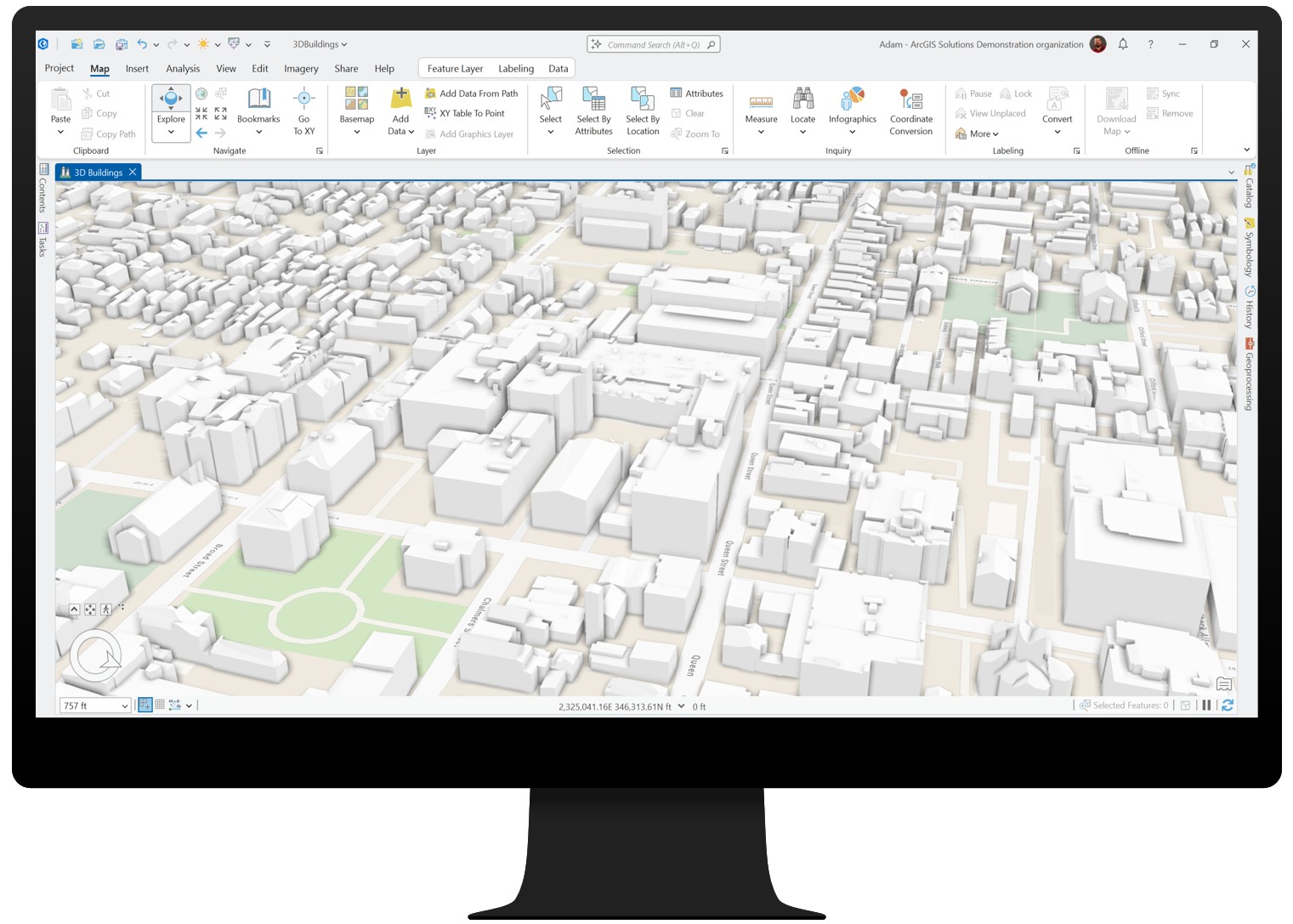
The Create Building Floors task can divide buildings into individual floors using a space-use table or, if a table isn’t provided, by applying generally accepted standards as defaults. After the floors are created, the Create Floor Volumes task generates 3D volumes for each floor, which can then be symbolized based on attributes such as space-use, floor number, or custom attributes — perfect for occupancy analysis, emergency planning, or energy modeling.“创建建筑楼层”任务可以使用空间使用表将建筑物划分为各个楼层;如果未提供该表,也可以应用普遍认可的标准作为默认值来进行划分。楼层创建完成后,“创建楼层体积”任务会为每个楼层生成三维体积,随后可以根据空间使用、楼层编号或自定义属性等属性对这些三维体积进行符号化处理——这非常适用于占用分析、应急规划或能源建模。
Best of all, this workflow has been enhanced to align with the ArcGIS Indoors Information Model, ensuring smooth integration for indoor mapping and facility management.最棒的是,此工作流已得到增强,以与ArcGIS室内信息模型保持一致,确保在室内地图绘制和设施管理方面实现顺畅集成。
Integration across the platform 平台间的集成
Your 3D buildings aren’t just standalone models; they’re part of a connected ecosystem. You can share them as a web scene for use in ArcGIS Urban to support zoning and development scenarios, for example, or combine them with existing meshes from ArcGIS Reality for rich, contextual city views. And indoors? Floor-aware buildings integrate with ArcGIS Indoors, streamlining space management and wayfinding. One dataset, multiple workflows—from city planning to detailed floor-level analysis.您的3D建筑不仅仅是独立模型,它们还是互联生态系统的一部分。例如,您可以将它们作为网络场景共享,用于ArcGIS Urban中,以支持分区规划和开发方案;或者将它们与ArcGIS Reality中的现有网格相结合,获得丰富且具有上下文的城市视图。那室内呢?具备楼层感知的建筑可与ArcGIS Indoors集成,简化空间管理和导航。一个数据集,多种工作流程——从城市规划到详细的楼层级分析。
With streamlined workflows, detailed floor visualization, and seamless integration across the ArcGIS platform, the enhanced 3D Buildings solution makes it easier than ever to design, analyze, and share your vision.凭借简化的工作流程、详细的楼层可视化以及与ArcGIS平台的无缝集成,增强版3D Buildings解决方案让设计、分析和分享您的构想变得前所未有的轻松。




没有回复内容