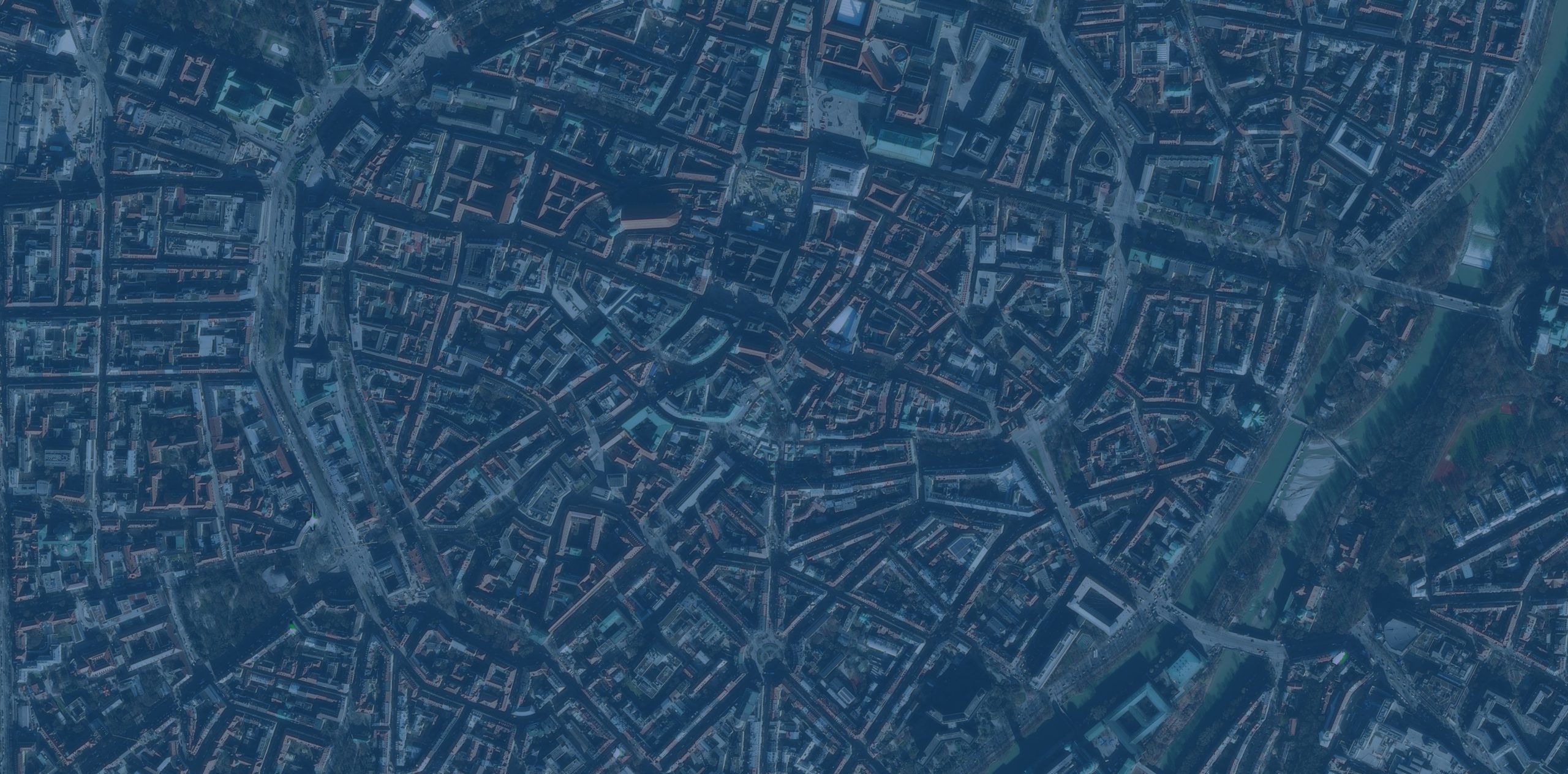

Imagery is critical data for geographic information system (GIS) analysis—not just a background layer. It reveals patterns, enables change detection, supports AI-powered analysis, and provides the ground truth that validates other forms of spatial analysis – ultimately to help drive informed decisions. Last year, Esri launched Content Store for ArcGIS in ArcGIS Online with a clear goal: to give ArcGIS users a streamlined way to buy premium imagery for your GIS projects from multiple providers—all in one place.影像对于地理信息系统(GIS)分析而言是至关重要的数据,而不仅仅是一个背景图层。它能揭示模式、实现变化检测、支持人工智能驱动的分析,并提供验证其他空间分析形式的地面实况——最终助力做出明智的决策。去年,Esri在ArcGIS Online中推出了ArcGIS内容商店,其目标明确:为ArcGIS用户提供一种便捷的方式,让他们能够从多个提供商处为自己的GIS项目购买优质影像,且所有操作都可在一个平台上完成。
Content Store is an app that allows you to discover, purchase, and publish premium commercial imagery directly within ArcGIS. Initially offered with satellite imagery from leading providers Vantor (formerly Maxar), Airbus, and Planet, the app was expanded in June 2025 to include aerial imagery from EagleView. Today, we’re excited to announce another new tool that’s available to you: aerial images from Nearmap are now available in Content Store for ArcGIS.Content Store 是一款应用程序,可让您直接在 ArcGIS 中发现、购买和发布优质商业图像。该应用最初提供来自领先提供商 Vantor(前身为 Maxar)、空客 和 星球实验室 的卫星图像,并于 2025 年 6 月进行了扩展,纳入了来自 EagleView 的航空图像。如今,我们很高兴地宣布另一款新工具已向您开放:来自 Nearmap 的航空图像现已在 ArcGIS 内容商店 中上线。
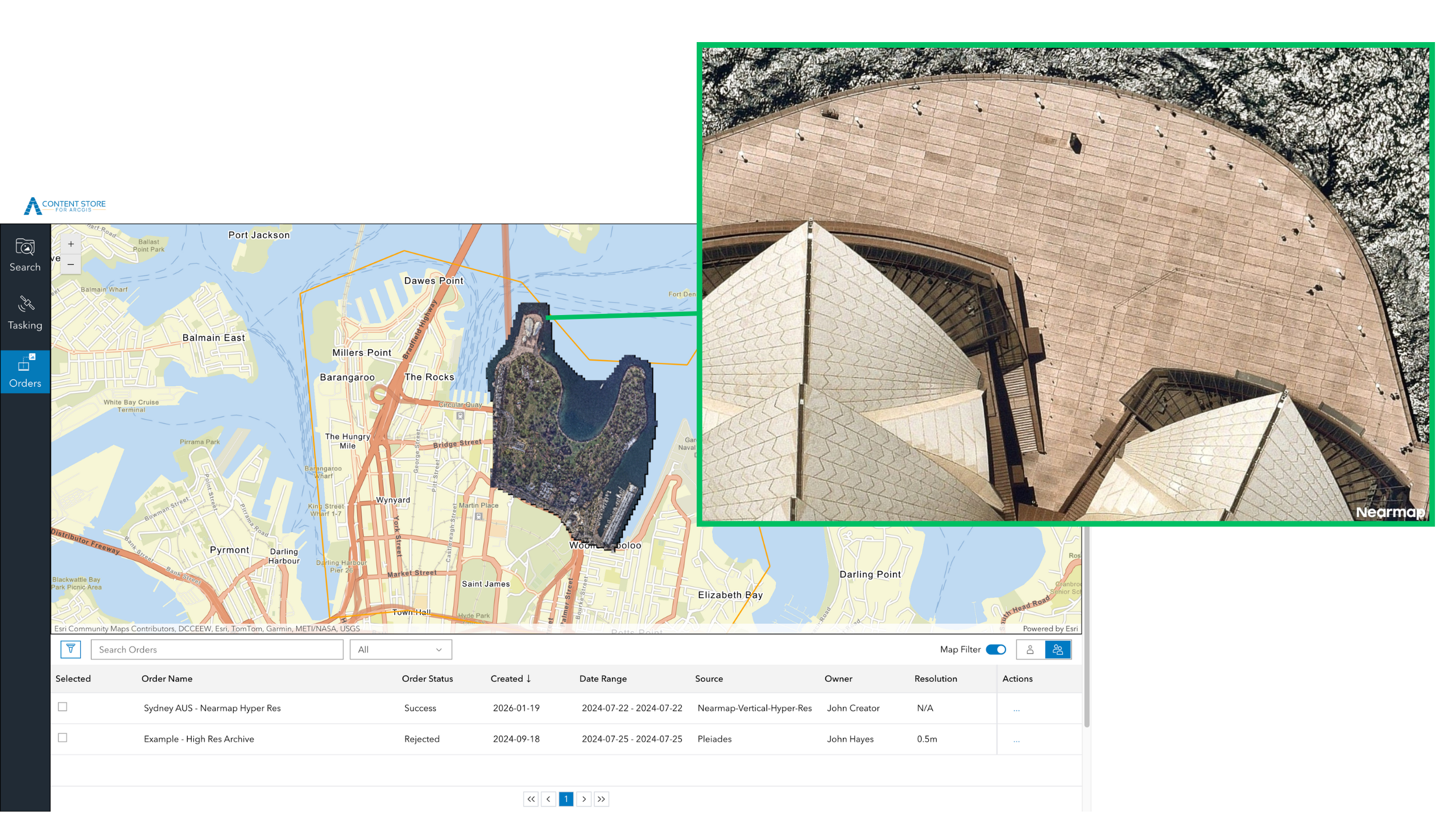
![图片[1]-Nearmap的航空影像现已在ArcGIS内容商店上线-ArcGIS论坛-软件-CityEngine城市引擎](https://www.esri.com/arcgis-blog/wp-content/uploads/2026/01/Nearmap-Australia-1.png)
Expanding Your Aerial Imagery Options 拓展您的航空影像选择
With Nearmap now part of the Content Store for ArcGIS lineup, you can choose from even more aerial imagery providers—all in one convenient location. Each provider offers distinct characteristics designed to meet diverse project needs. Whether you prioritize high resolution for detailed analysis, frequent updates for change detection, or broad coverage for regional projects, having multiple providers ensures you can match the right imagery to your requirements.如今,Nearmap已加入ArcGIS产品系列的内容库,您可以从更多航空影像提供商中进行选择——所有资源都集中在一个便捷的位置。每个提供商都具备独特的特点,旨在满足不同项目的需求。无论您优先考虑用于详细分析的高分辨率、用于变化检测的频繁更新,还是用于区域项目的广泛覆盖范围,多个提供商的存在都能确保您找到与自身需求相匹配的影像。
Nearmap stands out for frequent, regular aerial capture, delivering one of the most consistent update schedules in the industry. They capture imagery up to three times a year in North America and up to six times a year in Australia and New Zealand, providing a reliable, predictable refresh cycle. This frequent updating makes the imagery particularly valuable for projects requiring change detection, infrastructure management, and urban planning, or when recovering from natural disasters and other impactful events.Nearmap 因其频繁且定期的航空拍摄而脱颖而出,提供了业内最稳定的更新时间表之一。他们在北美每年最多拍摄三次图像,在澳大利亚和新西兰每年最多拍摄六次,形成了可靠且可预测的更新周期。这种频繁的更新使得这些图像在需要进行变化检测、基础设施管理和城市规划的项目中,以及在从自然灾害和其他重大事件中恢复时,都具有特别高的价值。
Nearmap Aerial Imagery in Content Store for ArcGISArcGIS内容库中的Nearmap航空影像
Aerial imagery from Nearmap is captured at 1.7–2.8” (that’s just 4.4–7 cm) ground sample distance (GSD)—meaning each pixel in the image represents just 1.7–2.8 inches on the ground. This high-resolution detail enables property-level analysis, asset inspection, and change tracking with the clarity needed for localized projects. The company also delivers broad coverage across its core regions. Current coverage includes approximately 87 percent of the U.S. population, 66 percent of Canada, 95 percent of Australia, and 81 percent of New Zealand—ensuring access to current, high-resolution imagery where people, assets, and development are most concentrated.Nearmap的航空影像拍摄的地面采样距离(GSD)为1.7–2.8英寸(即仅4.4–7厘米),这意味着图像中的每个像素仅代表地面上1.7–2.8英寸的范围。这种高分辨率细节使物业级分析、资产检查和变化追踪能够具备本地化项目所需的清晰度。该公司还在其核心区域提供广泛的覆盖范围。目前的覆盖范围包括美国约87%的人口、加拿大66%的人口、澳大利亚95%的人口和新西兰81%的人口,确保在人口、资产和开发最集中的地区能够获取当前的高分辨率影像。
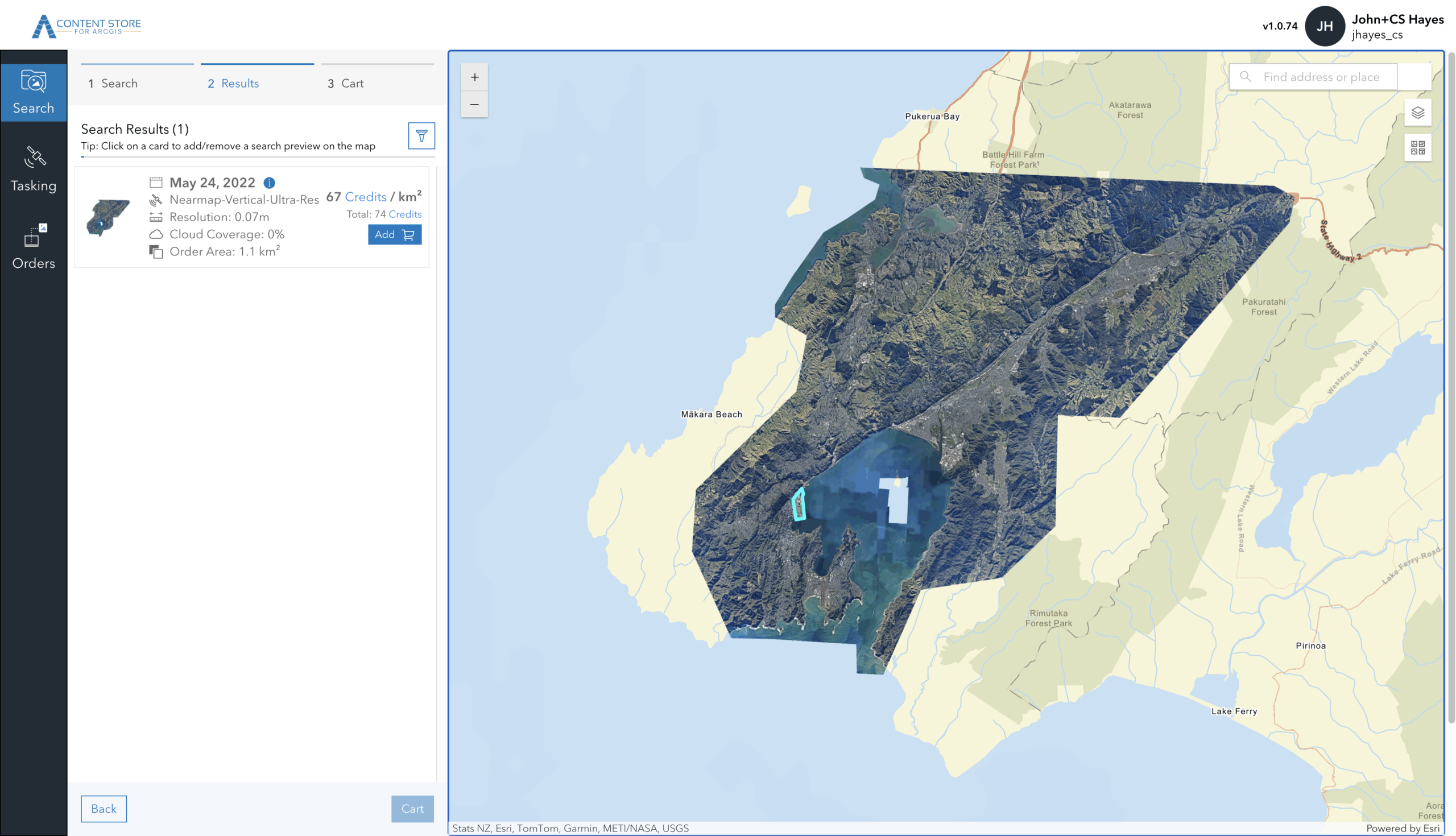
In addition to expanding your aerial imagery options, Nearmap’s availability in Content Store for ArcGIS introduces a new way for you to buy aerial imagery for GIS projects: the ability to purchase Nearmap imagery on a per-area basis. While Nearmap continues to offer subscription-based access directly, this per-area option provides your team members with flexibility when an individual project arises. Additionally, Content Store streamlines your workflows by allowing you to publish imagery from Nearmap – and all of the imagery providers in the app – directly to ArcGIS Online or your cloud platform.除了增加您的航空影像选择外,ArcGIS 内容商店中提供的 Nearmap 影像还为您购买 GIS 项目所需的航空影像带来了一种新方式:能够按区域购买 Nearmap 影像。虽然 Nearmap 仍直接提供基于订阅的访问方式,但这种按区域购买的选项让您的团队成员在遇到单个项目时拥有了灵活性。此外,内容商店还能简化您的工作流程,您可以将来自 Nearmap 以及该应用中所有影像提供商的影像直接发布到 ArcGIS Online 或您的云平台。
![图片[2]-Nearmap的航空影像现已在ArcGIS内容商店上线-ArcGIS论坛-软件-CityEngine城市引擎](https://www.esri.com/arcgis-blog/wp-content/uploads/2026/01/NM_Wellington_NZ_PreviewWide-scaled.png)
Choosing the Right Imagery for Your Project为你的项目选择合适的图像
-
Urban Planning and Environmental Monitoring城市规划与环境监测
Use aerial imagery to analyze fine‑grained land use and development changes, alongside satellite imagery to compare conditions over time, assess regional trends, and monitor environmental or seasonal variation across larger areas.利用航空影像分析细粒度的土地利用和开发变化,同时结合卫星影像对比不同时期的状况、评估区域趋势,并监测更大范围内的环境或季节性变化。
-
Construction and Development 建筑与开发
Use high‑resolution aerial imagery to capture site‑level detail and monitor visible changes over time, while leveraging satellite imagery to understand broader site context, surrounding infrastructure, and regional development patterns.使用高分辨率航空影像捕捉场地级细节并监测随时间推移的可见变化,同时利用卫星影像了解更广泛的场地背景、周边基础设施和区域发展模式。
-
Emergency Response and Planning 应急响应与规划
Combine recent aerial imagery for detailed damage assessment with satellite imagery to quickly understand the full extent of an incident, evaluate impacted areas at scale, and prioritize response efforts based on coverage and recency.将近期的航空影像与卫星影像相结合,既能进行详细的损失评估,又能快速了解事件的全貌,大规模评估受影响区域,并根据覆盖范围和时效性确定应对工作的优先级。
-
Transportation and Infrastructure Management交通运输与基础设施管理
Apply aerial imagery to inspect assets such as roads, bridges, and corridors in detail, while using satellite imagery to evaluate network‑wide conditions, identify risk areas, and support long‑term infrastructure planning.运用航空影像对道路、桥梁和走廊等资产进行详细检查,同时利用卫星影像评估全网状况、识别风险区域,并为长期基础设施规划提供支持。
-
Utilities and Asset Management 公用事业与资产管理
Leverage aerial imagery to assess individual assets and right‑of‑way conditions, and pair it with satellite imagery to monitor large service areas, detect broader changes, and support prioritization across the network.利用航空影像评估单个资产和路权状况,并将其与卫星影像相结合,以监控大型服务区域、检测更广泛的变化,并为整个网络的优先级排序提供支持。
Getting Started with Content Store for ArcGISArcGIS 内容存储入门
Content Store for ArcGIS gives you a place to search, compare, and buy satellite and aerial imagery for GIS projects from multiple providers.ArcGIS 内容库为您提供了一个平台,您可以从中搜索、比较和购买来自多个提供商的、用于 GIS 项目的卫星和航空影像。
To begin exploring your satellite and aerial imagery options, download Content Store for ArcGIS. Your ArcGIS Online administrator can grant you the necessary permissions to access the app. To find your administrator:若要开始探索您的卫星和航空影像选项,请下载ArcGIS 内容库。您的 ArcGIS Online 管理员可以授予您访问该应用程序所需的权限。查找管理员的方法如下:
- Sign in to your account at ArcGIS Online登录您的ArcGIS Online账户
- Click Organization, then the Members tab to see the list of members in your organization点击“组织”,然后点击“成员”标签,查看您组织中的成员列表
- Identify users with administrator privileges. 识别具有管理员权限的用户。
- Ask them to give you access to the Content Store for ArcGIS app.让他们为你提供ArcGIS应用程序内容库的访问权限。
Looking Ahead 展望未来
The addition of Nearmap to Content Store for ArcGIS reflects Esri’s ongoing commitment to providing you with flexible access to diverse imagery sources. By bringing together multiple providers in one platform, we’re making it easier to find the right imagery solution for your specific needs.将Nearmap加入ArcGIS的内容库,体现了Esri持续致力于为您提供获取多样化影像源的灵活途径。通过将多家提供商整合到一个平台上,我们让您能更轻松地找到满足自身特定需求的合适影像解决方案。







没有回复内容